July 15, 2026Make the home screen yours — reorder, add, and remove widgets right from the home screen.
Rearrange Your Home Screen
Drag widgets to put what matters most right at the top.
Add or Remove Widgets
Build your home screen with the widgets you actually use.
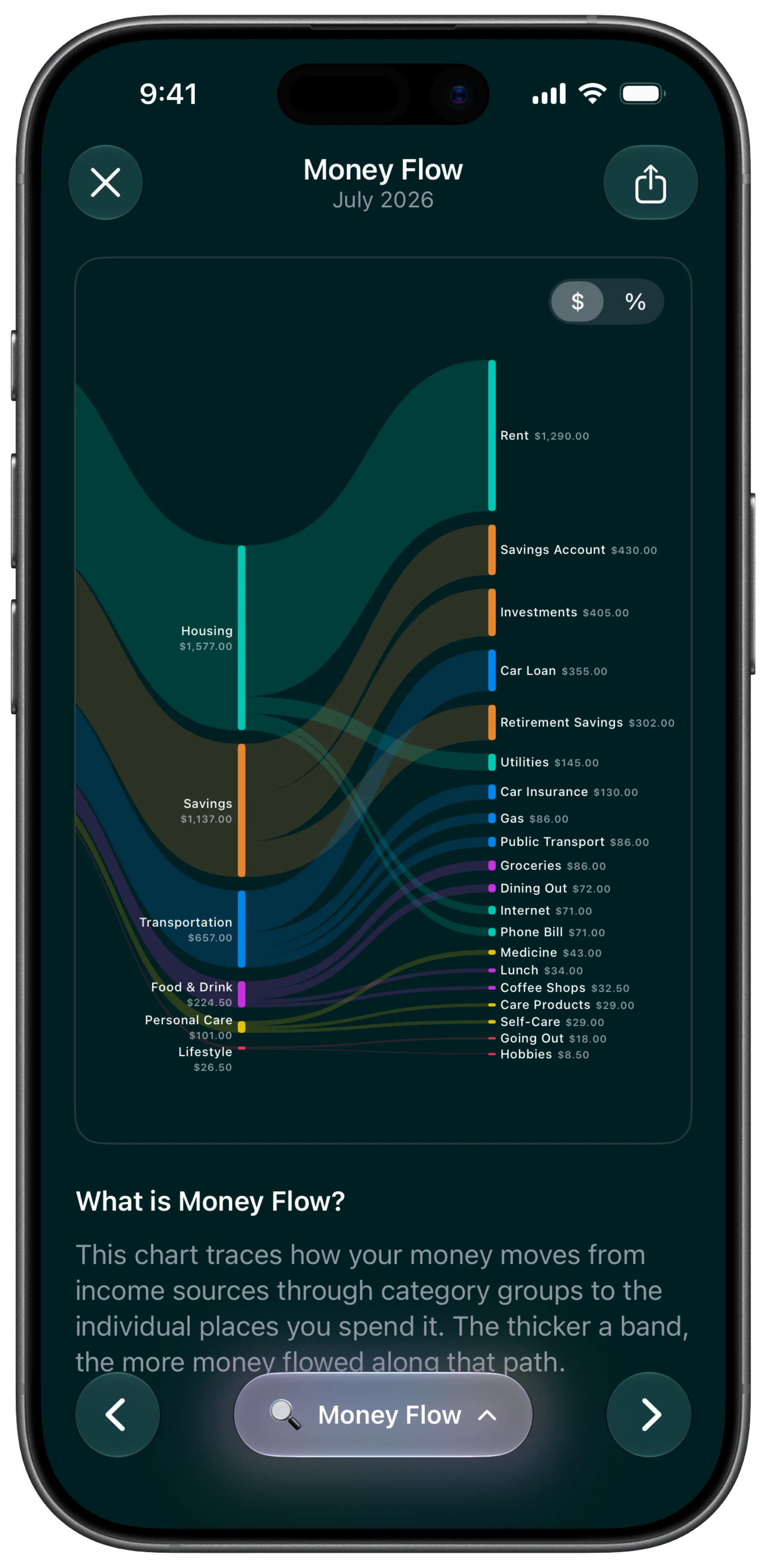
Money Flow, Biggest First
Your money flow is now sorted from largest to smallest, so the biggest movements are right at the top.
Edit Recurring Dates
Need to shift a recurring transaction? You can now change its date.
Switch Themes with Ease
Switching between themes is now faster and more reliable.
Improved
- Now in 7 more languages — Japanese, Ukrainian, Vietnamese, Indonesian, Greek, Czech, and Traditional Chinese
- Smoother scrolling
- Better handling of large numbers
- Clearer error messages when signing up
Fixed
- A glitch that could make scrolling feel jumpy
- The planned transactions widget now matches the app’s design
June 24, 2026The biggest Brim update yet — a full year in view, time travel across every chart, and a major performance pass.
A Full Year in View
A new yearly dashboard shows your spending across the whole year, all in one place.
Money Flow at a Glance
New tiles show exactly how your money moves in and out.
Travel Through Time
Every chart can now be navigated back through previous months and years — tap through to see how your money has changed over time.
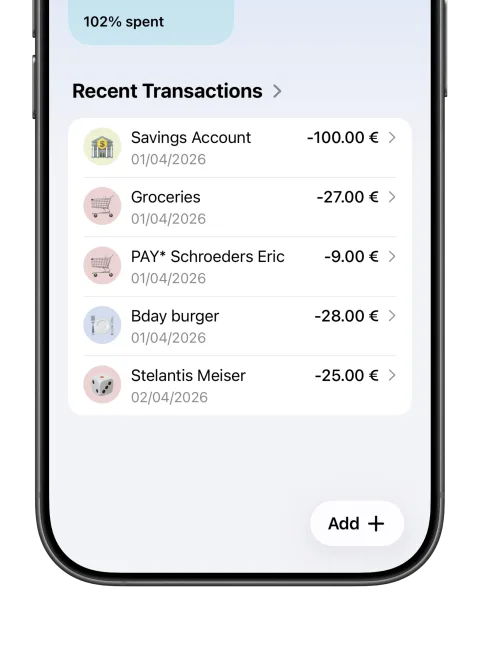
Recent Transactions, in Order
Recent transactions are now sorted more accurately, so your latest activity shows first.
Improved
- Massive performance boost — every analytics screen opens and responds noticeably quicker
- Charts now come to life with smooth new animations
- A more modern onboarding flow with redesigned steps and buttons
- A true dark app icon that matches dark mode
Fixed
- Emoji suggestions when creating categories
- Account card colors not displaying correctly
April 26, 2026Spending Breakdown Chart
Visualize how your money flows from income to categories.
AI Emoji Suggestions
Brim now suggests a fitting emoji when you create a new category.
Color Halo on Transaction Details
The emoji color halo now extends to the transaction detail view.
Improved
- Major performance improvements across the app
April 12, 2026Description Suggestions
Brim learns from your transaction history and suggests descriptions as you type.
Fixed
- Improved budget logic for transfers with savings